Look at your desk. See what's next.

Spatial Memory Studio pins notes, files and recaps to the rooms and objects where you work. When you come back from an interruption, your next step is waiting right there.

Early prototype for iPhone and Mac, in private testing.
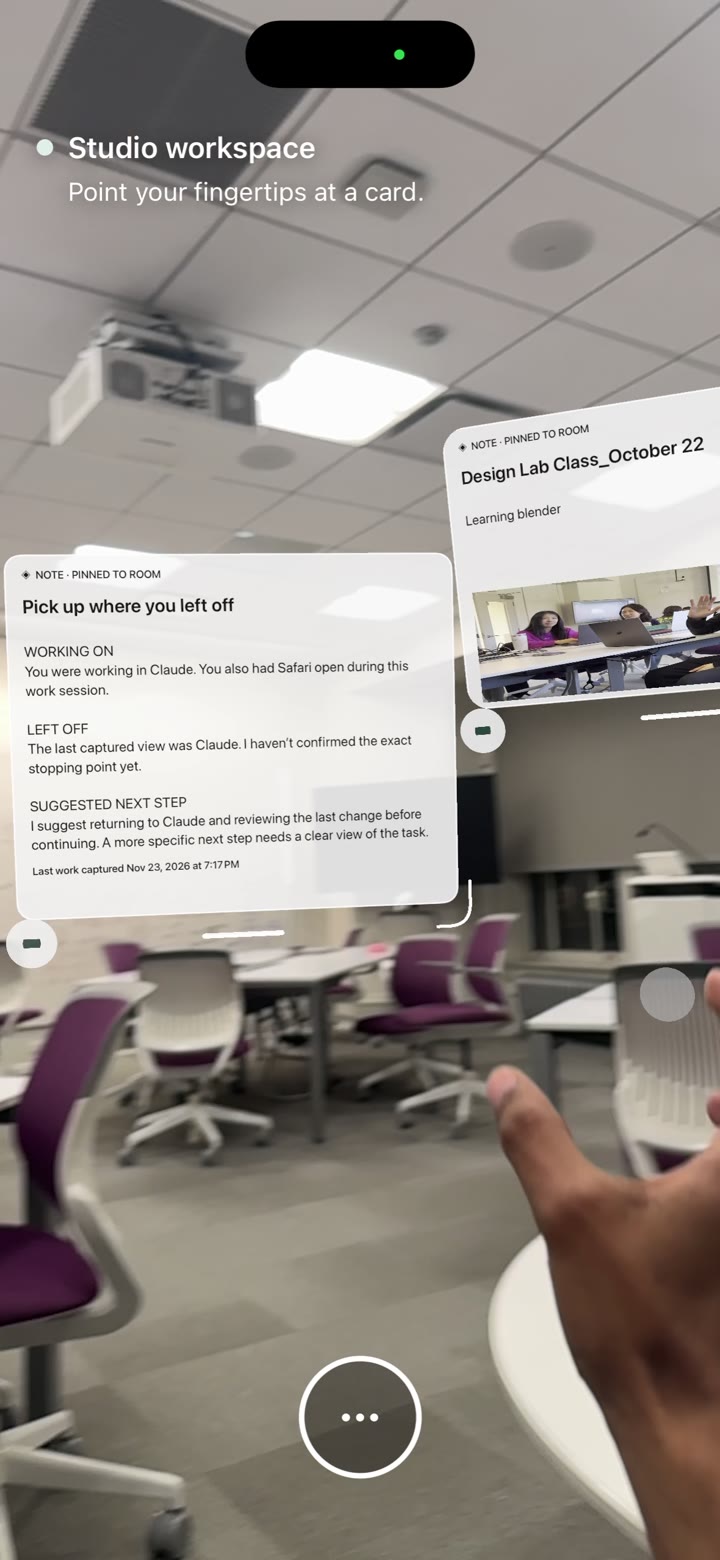
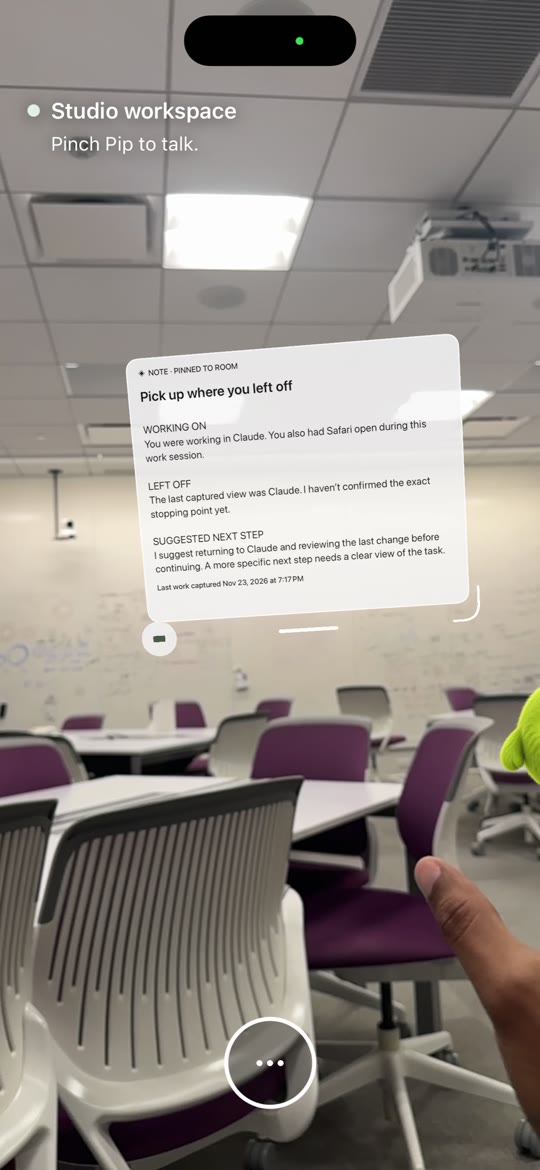
iPhone view of a studio classroom with a recap card pinned in the air and a hand reaching toward it
Recap pinned to the roomAppears when the room is recognised
Pinch to selectEarly
A recap card pinned to the room. It appears when the room is recognised.
Pinch to select a card. Early.
Your work, where it belongs.

Screens hold your work but forget where you were. Spatial Memory Studio gives each task a place.

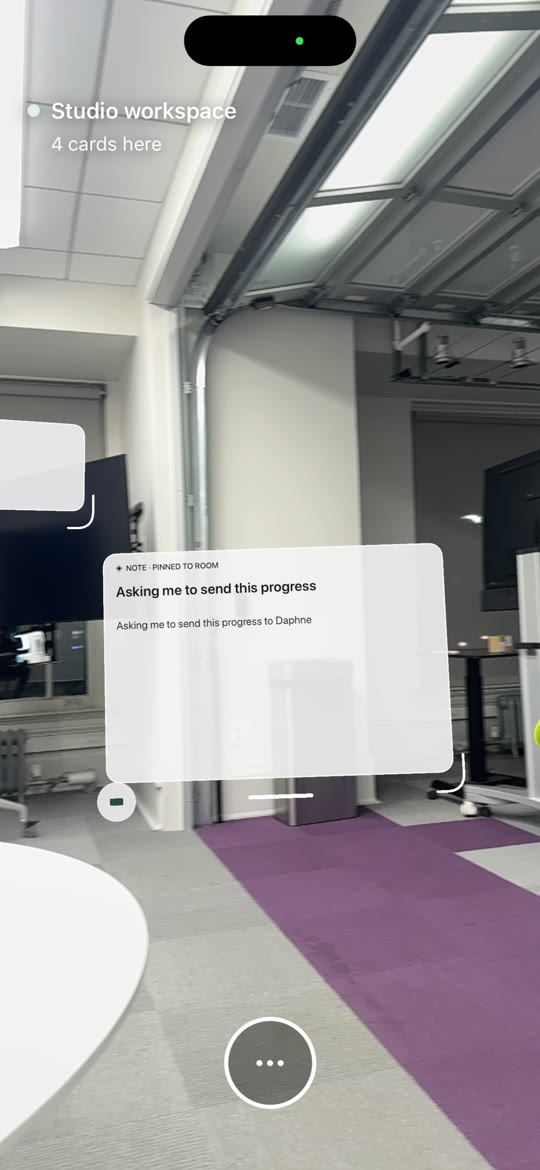
Pin notes to your room and your things

Put a card on a whiteboard, a desk or a sketchbook. Room cards return to the same spots when the app recognises the room. Cards on objects are matched from several views, so they can stay with the object.

A note card pinned in a classroom with the mascot Pip resting nearby

A recap when you come back

Press CtrlOptionSpace on your Mac and Trace captures what you are working on. The Work Companion turns it into three lines you can read at a glance. When it can't tell, it says so.

Note, pinned to room

Pick up where you left off

Working on
You were working in Claude. You also had Safari open during this work session.
Left off
The last captured view was Claude. I haven't confirmed the exact stopping point yet.
Suggested next step
Return to Claude and review the last change before continuing.
The recap card, titled Pick up where you left off, floating in a classroom
Early

Move cards with your hands

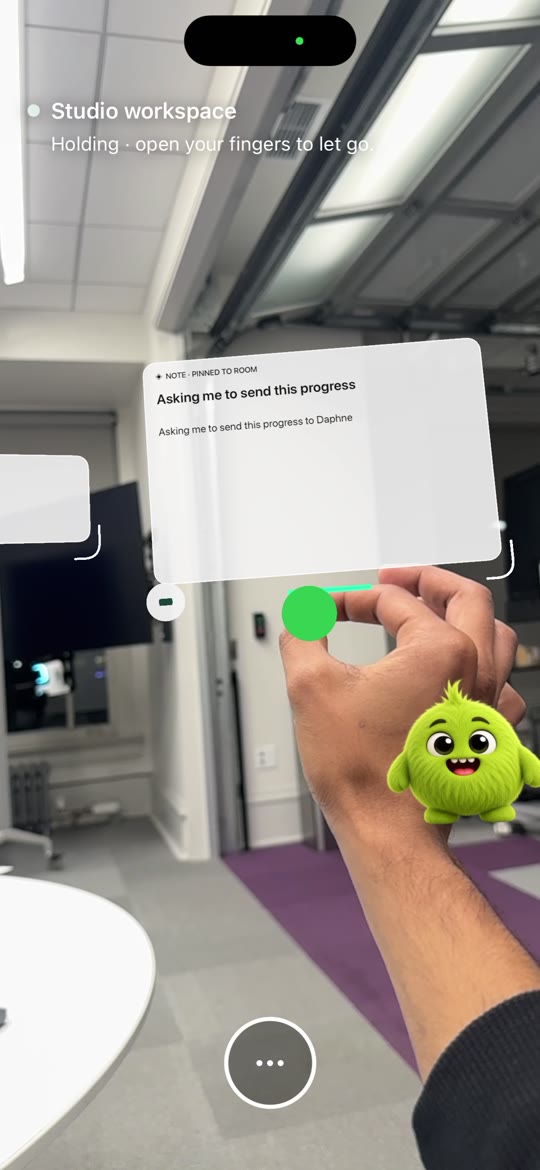
Pinch to pick a card up, move it and let go. A green handle shows the card is held. It uses the iPhone camera and is still experimental.

A hand pinching a card, with a green handle showing it is held

Ask Pip for a note

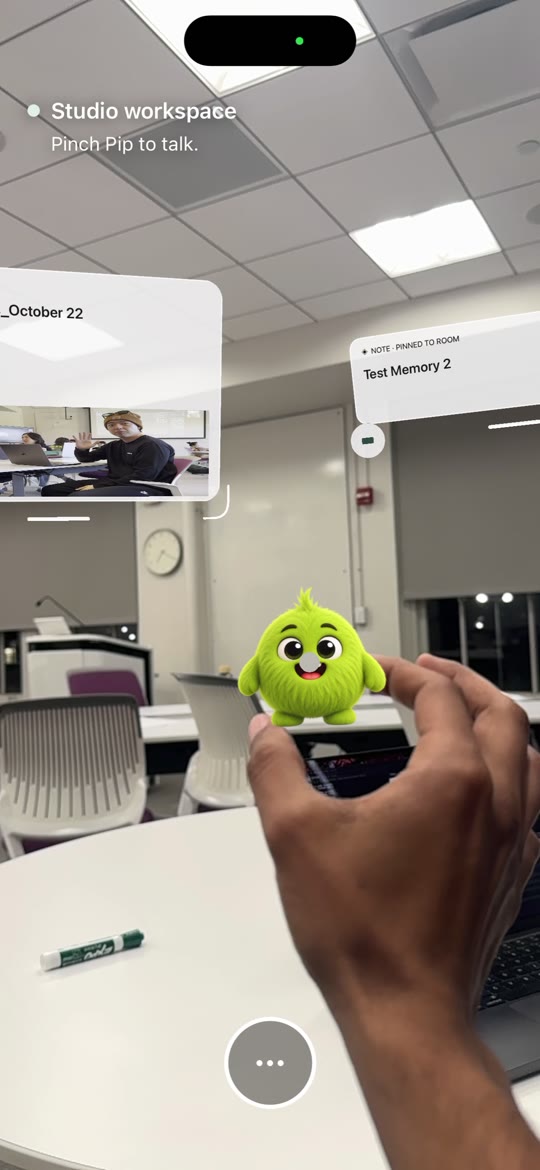
Pinch Pip, say what you need, and a card comes up. Pip answers in a short card and nothing more. It cannot control other apps or see the camera feed.

Pip, a small green mascot, floating in a classroom, ready to listen

How it works.

Four parts share one memory.

Trace

Captures the app and file you are in.

Work Companion

Turns the capture into a three-line recap.

Pinned card

Placed in the room, or on an object.

Pip

Answers questions about your memories.

A room that remembers.

Each card saves where it sits relative to the origin of the room's map. When your phone recognises the room again, the cards return to the same spots. Until then they stay hidden, instead of showing up in the wrong place.

Whiteboard Table Screen Map originxz Note on the whiteboard Recap Reference

An example room. Positions are illustrative. The pulse shows the moment the room is recognised.

AR Playground: Spatial

Pin, move and resize cards in a room or on an object. Runs on iPhone.

iPhone

Studio

Create and edit memories on the web. They sync to your phone by account.

Web

Work Companion and Trace

Capture what you are working on and get a recap back.

Mac

Pip

A small voice assistant that finds your notes.

iPhone

Sixty seconds in a studio classroom.

Pinned cards, the recap, a hand pinch, and Pip answering a spoken request. Recorded on an iPhone.

Your context stays yours.

Recognition stays on the phoneCamera frames stay on your phone while it recognises a room or an object.
Pip has a small jobIt answers in a card. It cannot control other apps or use the camera feed.
Cards appear only when sureRoom cards show after the room is recognised, and object cards do not depend on the room.

Made for glasses next.

Holding up a phone to read a card is the wrong end state. The goal is a pair of glasses that shows the cue when you sit back down and stays out of the way while you work.

Today

Cards pinned to a room and restored when the room is recognised. Object memory. Web studio with sync. Trace and the Work Companion recap. Pip.

Early

Pinch to select and move a card. Recap quality when little context was captured.

Next

Running on glasses as the main surface, with rules for when a card should appear and when it should stay quiet.

Spatial Memory Studio runs on iPhone today. If you make glasses and want to work together, get in touch.

Want to try it, or build it with us?

We are looking for early testers and for glasses makers who want to try this on their hardware.